F1 team radio, next to the race data
The Team Radio window of the PITWALL pit wall · free in your browser
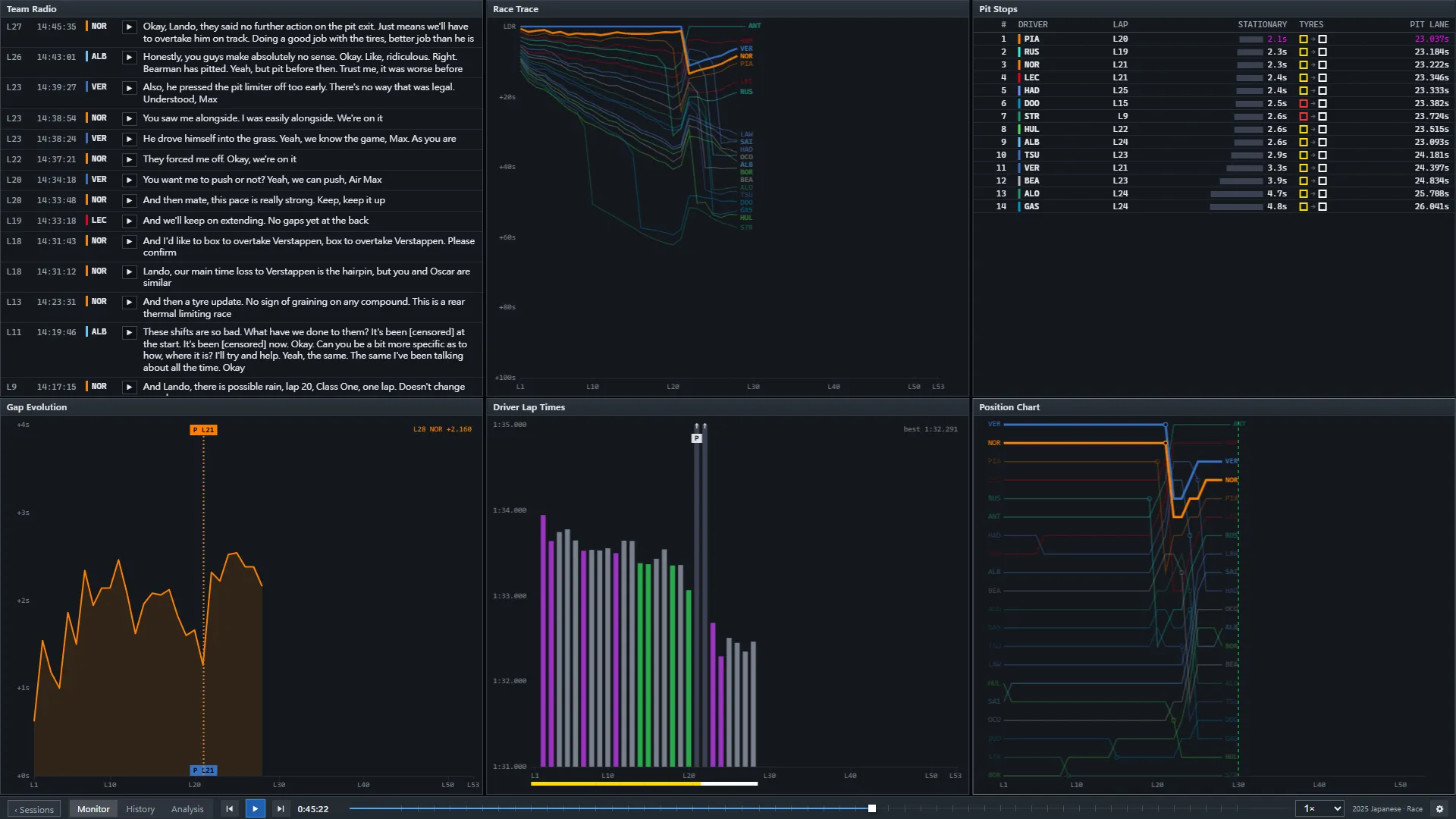
A radio message means more when you can see what was happening on track at that moment. PITWALL's Team Radio window lists the clips as the session produces them, with a transcript where one is available, and plays them in place — on the same clock as the ranking tower, the gaps and the pit stops.
How it works
- Live or replay. During a session the clips appear as they are published; in a replay they come back at the moment they were sent.
- Lap, driver and transcript for each clip, newest first, so you can scan a long session without listening to everything. A clip without a transcript shows only its play button.
- Next to everything else. Put it beside the race trace or the pit stops window and hear the call at the lap it was made.
Questions
Does PITWALL publish the radio audio or transcripts on the web pages?
No. The clips and transcripts are shown inside the pit wall only; these pages just describe the window.
Do I need an account?
No account is needed to open the wall and use the Team Radio window.
Is PITWALL official?
No. PITWALL is an unofficial project and is not associated with the Formula 1 companies.